A reusable profile structure for solo tutors
Private Tutor Student Profile Template
Keep the stable information needed to teach, schedule and follow up in one profile. The template below stays deliberately small and links dated lesson, homework and payment records instead of duplicating them.
Why each student needs a profile
A recurring tutoring relationship changes over time. The student may move to a new level, change their goal, pause lessons or use a different schedule. Without a profile, those changes are scattered across calendar events, messages and lesson notes.
The profile gives the tutor one starting point before preparation. It shows the stable working context and leads to the dated history that explains what happened in individual lessons.
For the wider system around active and archived students, read how to organize tutoring students without scattered notes.
What to include in a private tutor student profile
Use structured fields for details that need to be found or updated quickly. Leave a field empty when it is not relevant instead of collecting information for possible future use.
Student details
Lesson setup
Learning plan
Keep lesson history, homework and balance connected
The profile should summarize what is current and link to the source records. Do not paste every lesson note, assignment or payment entry into one growing text field.
Lesson history
Dated lessons with outcomes and short notes.
Homework
Assignments, due dates and review states.
Balance
Lesson-level charges, payments and adjustments.
Use the tutor lesson notes template for teaching follow-up and the homework tracker for tutors for assignment state. Keep balance details in a structured payment history rather than private learning notes.
What not to store in casual notes
A free-text field is easy to overuse. Record only what supports teaching, preparation, communication or an agreed administrative action.
- Passwords, access codes or authentication details.
- Payment credentials or unnecessary banking information.
- Identification documents unless a separate justified process requires them.
- Full chat histories that are unrelated to lesson records.
- Sensitive personal or family details that do not support tutoring.
- Assumptions, labels or personal opinions presented as facts.
If a detail is genuinely needed for a separate process, store it in an appropriate protected record with a clear purpose and access boundary, not in a general lesson note.
Keep profile data private and current
Limit access to the tutor, the relevant student and an authorized guardian or payer where needed. Do not expose one student's profile, notes, homework or balance to another student.
Minimize
Collect only fields that serve the tutoring relationship.
Review
Check stable details when the schedule or learning plan changes.
Archive
Move inactive profiles out of daily views while preserving justified history.
Correct outdated contact details and defaults instead of copying a second profile. Use dated lesson records for history and the profile for the current stable state.
A simple private tutor student profile template
Copy this structure into a document or the tool you already use. Remove sections that do not apply and keep dated records as links or separate entries.
Student profile
Current details and linked history
Student details
- Name used in lessons
- Email address
- Phone number
- Guardian / payer if relevant
Lesson setup
- Subject
- Level
- Lesson format
- Default duration
- Default price and currency
Learning plan
- Current goal
- Focus area
- Next milestone
- Short tutor note
Schedule
- Recurring days and times
- Timezone
- Schedule effective date
- Next lesson
Connected history
- Latest lesson note
- Open homework
- Current balance
- Next action
Lifecycle
- Active or archived
- Archive date
- Reason for current state
- Review date if needed
How Clasenda organizes student profiles
Clasenda keeps stable student details and lesson defaults together while connecting each profile to recurring schedules, lesson history, homework and payment records.
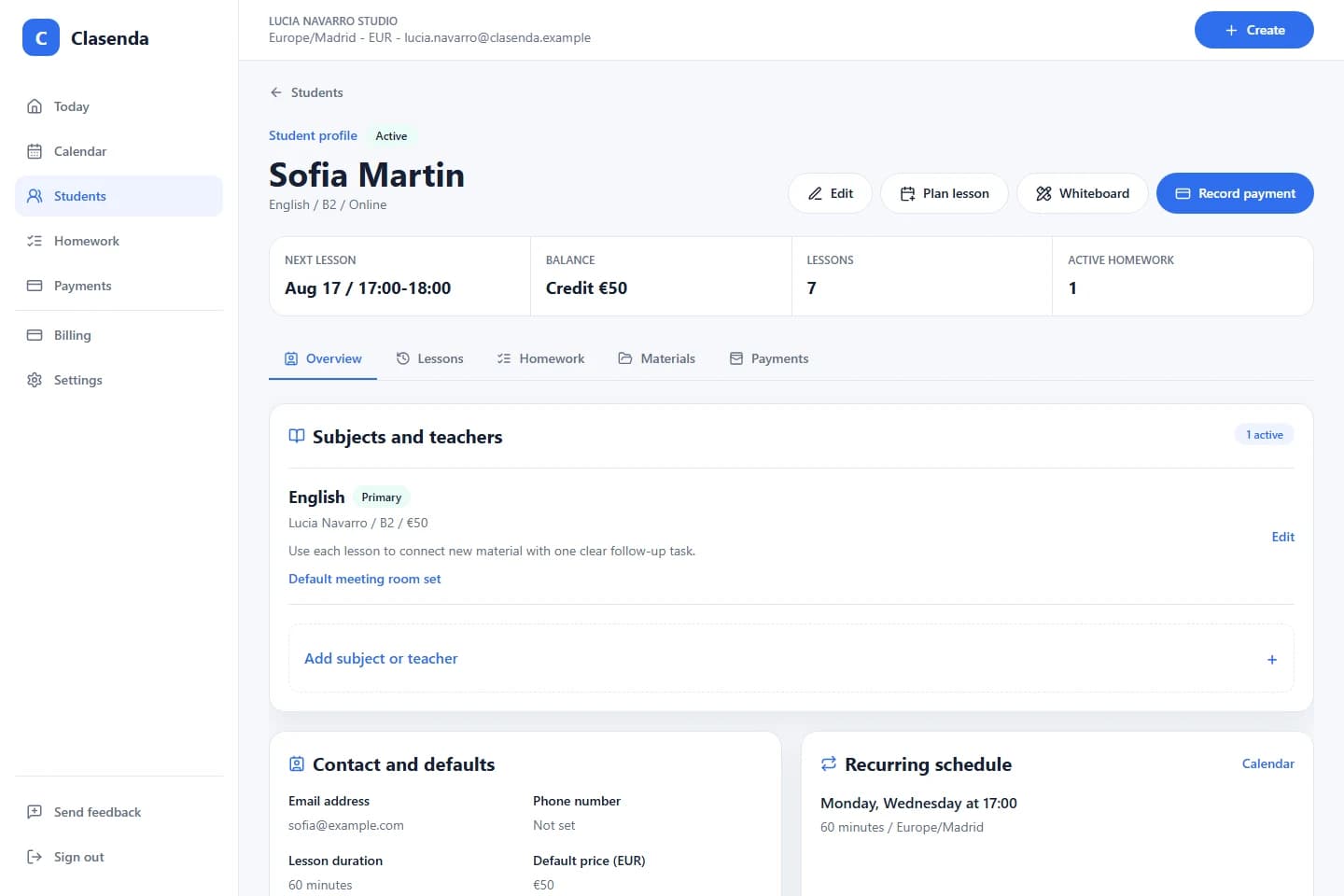
The result is a current profile with a traceable history, not one long note that becomes harder to trust after every lesson.
Start with the minimum useful profile
Create organized student profiles in Clasenda.
Add one recurring student, include only the details needed now and let future lessons build the connected history.
Create one student profile