Lesson follow-up for independent tutors
Tutor Lesson Notes Template: What To Record After Every Lesson
A useful lesson note is short enough to write immediately and specific enough to make the next lesson easier. This reusable structure keeps progress, homework and follow-up in one clear record.
Why lesson notes matter for private tutors
Private tutoring is continuous work. The next lesson depends on what the student understood, where they hesitated and what they agreed to practise. Without a short record, that context is often spread across memory, messages, a calendar and separate documents.
A consistent note closes the lesson properly. It preserves progress, gives homework a clear origin and makes preparation less dependent on memory. It also creates a useful student history without turning every lesson into a report.
What a useful tutor lesson note should include
Use the same five headings after every lesson. Leave a heading brief when there is nothing important to add rather than inventing detail.
When the homework needs its own due date, submission state and next action, move it into the homework tracker for tutors rather than expanding the lesson note.
Payment information belongs here only when it changes the follow-up, for example: “Payment reminder sent.” For a reliable lesson-level financial record, use a private tutor payment tracker rather than turning teaching notes into an account ledger.
A simple lesson notes template
Copy this structure into the place where you already manage each student. Aim for one or two sentences per heading.
Lesson note
Student / date / subject
- Topic
- Write the smallest useful detail here.
- Progress
- Write the smallest useful detail here.
- Homework
- Write the smallest useful detail here.
- Next step
- Write the smallest useful detail here.
- Follow-up
- Write the smallest useful detail here.
Example of a short tutoring lesson note
This fictional example is deliberately concise. It records enough context to continue the work without storing unnecessary personal information.
Student 01 / 15 August / English
- Topic
- Past simple questions in conversation.
- Progress
- Formed regular questions independently; still paused before irregular verbs.
- Homework
- Write six questions using the verbs from today's word list.
- Next step
- Review two homework answers, then practise irregular forms aloud.
- Follow-up
- Send the word list after the lesson.
Four lesson-note mistakes to avoid
Capture decisions and progress, not every sentence from the lesson.
A note is harder to use when it lives in an unrelated document or chat thread.
Record the task beside the lesson so the next review starts with the right context.
Write the note while the lesson is still clear. A useful entry should take two or three minutes.
How notes make the next lesson easier to prepare
Begin preparation by reading the previous note, not by searching several apps. The progress line shows what no longer needs a full explanation, the homework line shows what should be reviewed and the next step gives the lesson a natural starting point.
Check the previous progress and homework.
Select one priority for the next lesson.
Attach only the material needed for that priority.
Good notes reduce preparation time because they narrow the question from “What should we do?” to “What is the next useful step for this student?”
How Clasenda connects notes with student history
Clasenda keeps each note with the student and the lesson it describes. Homework, lesson materials and the next action remain part of the same follow-up workflow, so the tutor does not need to reconstruct context from a calendar and chat history.
For the profile around that timeline, read how to organize recurring tutoring students without duplicating notes across tools.
The private tutor student profile template provides the stable fields that should sit above this dated lesson history.
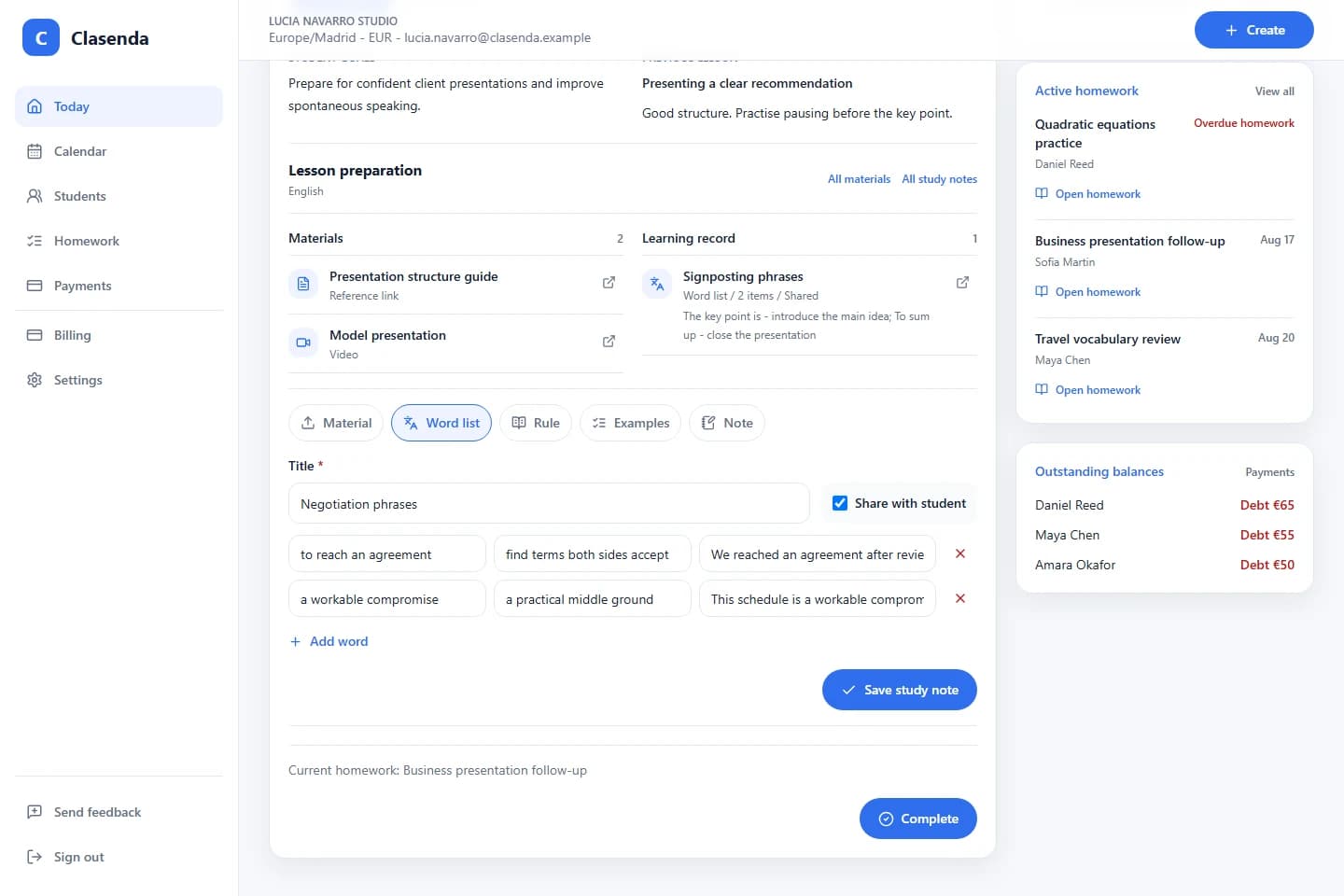
The goal is not longer notes. It is a reliable student history that makes the next lesson easier to start and the previous lesson easier to understand.
Use the private tutor weekly admin checklist to catch any missing notes before the next teaching week.
A calmer lesson close
Save lesson notes in each student history with Clasenda.
Start with one student and one completed lesson. Add the shortest note that will make the next lesson easier to prepare.
Start with one student