Spreadsheet guide for independent tutors
Tutor Payment Tracker Spreadsheet: What To Include And Where It Breaks
A spreadsheet can be a solid starting point when every row represents one lesson and every payment state has a clear meaning. This guide shows the smallest useful structure before the sheet becomes harder to trust.
Why tutors start with spreadsheets
A spreadsheet is familiar, inexpensive and quick to change. A tutor can create a few columns after a lesson and immediately see a list of transfers or unpaid work. For a small, stable schedule, that may be enough.
The sheet becomes more useful when it tracks lessons rather than only money. One transfer may cover several lessons, and one month may include cancellations, a trial lesson or a price change. The row needs to explain what happened without relying on memory.
For the broader lesson-level approach, see how to track paid and unpaid lessons as a private tutor.
To turn the sheet into a consistent after-lesson and weekly routine, use the practical guide to tracking private tutor payments.
Minimum columns for a tutor payment tracker
Keep the first version narrow. These eight columns are enough to answer who was taught, what happened and whether the charge was covered.
Do not store card numbers, bank credentials or long message histories in the note column. A payment tracker needs an audit-friendly reference, not additional sensitive data.
Use consistent payment states
Choose one value from a short fixed list. Free-text labels such as “probably paid” or “check later” cannot be filtered reliably.
The full lesson amount has been received.
The lesson is chargeable and nothing has been received yet.
Part of the lesson amount has been received, with a visible remainder.
No payment is expected for this lesson or cancellation.
Keep lesson status separate from payment state. A completed lesson can be unpaid, while a cancelled lesson can be either no charge or paid under the tutor's cancellation policy.
Example spreadsheet layout
Use one row per lesson and freeze the header row. The example below remains readable without formulas, while filters can answer questions such as “show all unpaid completed lessons.”
| Student | Lesson date | Lesson status | Amount | Payment state | Payment date | Method | Note |
|---|---|---|---|---|---|---|---|
| Student 01 | 12 Aug | Completed | $24 | Paid | 12 Aug | Bank transfer | This lesson |
| Student 02 | 14 Aug | Completed | $30 | Partial | 14 Aug | Bank transfer | Remainder due |
| Student 01 | 15 Aug | Completed | $24 | Unpaid | — | — | — |
| Student 03 | 16 Aug | Cancelled free | $0 | No charge | — | — | Policy applied |
A separate summary area may total received and outstanding amounts, but it should calculate from these lesson rows. Never replace the source rows with only a monthly number.
Four spreadsheet mistakes to avoid
A total cannot show which lesson is still unpaid or explain a difference after rescheduling.
Record what a transfer covered. Otherwise advance payments and multi-lesson transfers become difficult to reconcile.
Keep lesson status and payment state separate so a cancellation policy remains visible.
Update the lesson row during the normal follow-up workflow, not at the end of the month.
When a spreadsheet becomes fragile
The sheet is becoming fragile when the same lesson is copied into several tabs, balances need manual corrections, recurring lessons are created by copying rows or a payment change has no visible history.
Other warning signs are duplicate lesson rows, formulas that only one person understands and notes split between the spreadsheet, calendar and messaging apps. More formatting will not solve a workflow that no longer has one reliable source.
You do not need to migrate at the first inconvenience. Move when maintaining the sheet takes attention away from lessons or when you can no longer explain a student's balance from the lesson rows with confidence.
How Clasenda handles the same workflow
Clasenda keeps the lesson, its snapshotted price and its payment state in one private-tutor workspace. Completed chargeable lessons can become due, incoming payments update the student's ledger, and unpaid work stays visible without copying calendar entries into a separate sheet.
The lesson itself can keep a separate teaching record. The tutor lesson notes template shows how to record progress, homework and the next step without mixing them into payment notes.
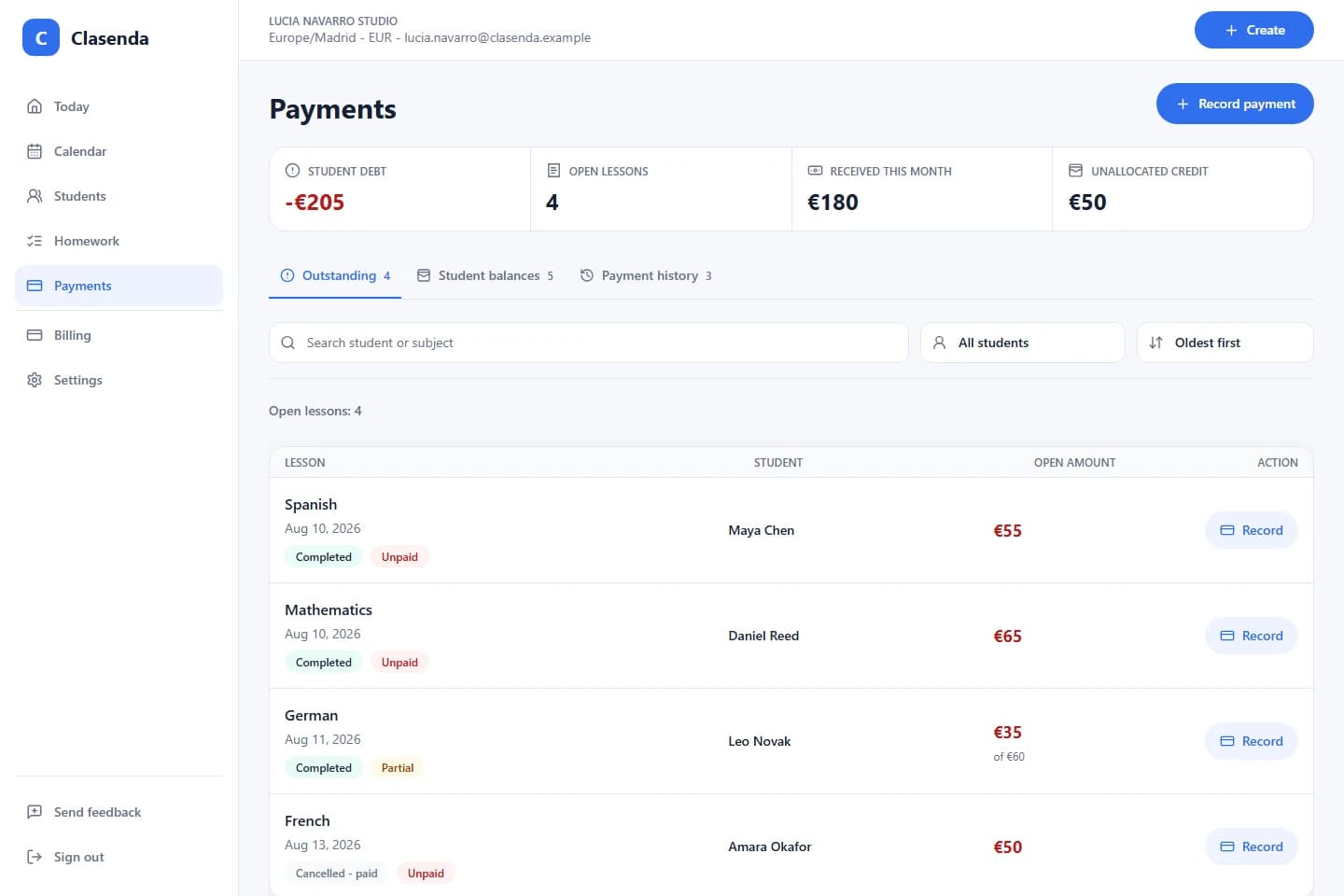
The purpose is not to make payment tracking more elaborate. It is to remove duplicate entry while preserving the lesson-level clarity a good spreadsheet was meant to provide.
When the sheet is no longer enough
Track paid and unpaid lessons in Clasenda.
Start with one student and one upcoming lesson. Keep the lesson, price and payment state together before deciding whether to move the rest of your tracker.
Start with one student