A practical workflow for independent tutors
How To Track Payments As A Private Tutor
Payment tracking works best as a small part of lesson follow-up. Record what happened while the lesson is fresh, then use one short weekly review to catch anything still open.
Why private tutor payments become hard to track
A regular week may contain completed lessons, free cancellations, paid cancellations, advance payments and a transfer that covers several dates. The amount received is only one part of the story. You also need to know which lessons it covered and what remains open.
Problems usually begin when the calendar shows attendance, a spreadsheet shows monthly totals and messages contain payment details. Each place may be accurate on its own, but there is no single record that explains a student's current balance.
The solution does not need to be complicated. Use one lesson-level record, update it consistently and review outstanding work on a predictable schedule.
Track by lesson, not only by month
Create one record for every scheduled lesson. Keep the date, student, lesson status, agreed price and payment state together. The monthly total should be calculated from those records rather than replacing them.
This makes each balance explainable. If a student asks what a payment covered, you can answer from lesson history instead of reconstructing the month from memory.
For a detailed list of useful fields and reconciliation rules, read the private tutor payment tracker guide.
Use four clear payment states
Keep the list short and apply the same meaning every time. Lesson status and payment state are separate: a completed lesson can be unpaid, while a cancellation can be either chargeable or free.
The full lesson amount has been received.
The lesson is chargeable and no payment has been recorded.
Some money has been received and a clear remainder is still due.
No payment is expected for this lesson or cancellation.
Avoid custom labels such as “check later” or “probably covered.” If something needs investigation, keep the current factual state and add a short follow-up note.
For chargeable cancellations and missed lessons, define the outcome first with a clear cancellation and no-show policy, then record whether the resulting amount is paid or unpaid.
Record payment state immediately after the lesson
Make payment state part of the normal lesson close. Once attendance is confirmed, record whether the lesson is chargeable and whether payment has already been received. This should take seconds, not become a separate end-of-month project.
Close lesson
Confirm what happened.
Set price
Keep the agreed lesson amount.
Set state
Choose one payment state.
Follow up
Add only the next needed action.
If the lesson has teaching follow-up too, keep that content in a separate tutor lesson note. A payment note should not become a lesson summary.
Review unpaid lessons weekly
Choose one consistent time each week. A ten-minute review is easier than trying to remember payment state between lessons or checking everything at the end of the month.
Weekly payment review
One short, repeatable checklist
- Filter for completed lessons that are still unpaid or partial.
- Confirm that each incoming payment was assigned to the right student and lessons.
- Check old outstanding items before sending any reminder.
- Correct mistakes with a visible adjustment rather than silently changing history.
- Finish with a short list of follow-ups for the coming week.
Reviewing weekly keeps reminders timely and gives the tutor a clear starting point. It also makes unusual differences visible while the related lessons are still easy to recall.
Combine this payment review with the complete weekly admin checklist for private tutors to close schedule, homework and note follow-up in the same session.
Keep payment notes short and professional
Most entries need no note at all. When context is useful, record only the factual action or relationship between the payment and lessons.
Useful
Transfer received for lessons on 12 and 14 August.
Useful
Partial payment recorded; remainder still open.
Avoid
Long copies of private message conversations.
Avoid
Guesses about when or why someone may pay.
Use the note to preserve operational context, not opinions. A short factual history is easier to review and less likely to expose unrelated personal information.
When to move beyond a spreadsheet
A spreadsheet can work well for a small schedule when every lesson has one row and the tutor updates it consistently. The warning sign is not a specific number of students. It is the amount of manual reconciliation the system requires.
Consider a connected workspace when lessons are copied from the calendar, recurring dates create duplicate rows, payments must be split manually or corrections leave no reliable history. The tutor payment tracker spreadsheet guide explains the minimum useful structure and where it commonly becomes fragile.
How Clasenda connects lessons, students and payment state
Clasenda keeps each lesson with its student, snapshotted price and payment state. When a chargeable lesson is completed, the outstanding amount stays visible. Incoming payments update the student's financial history without copying the lesson into another tool.
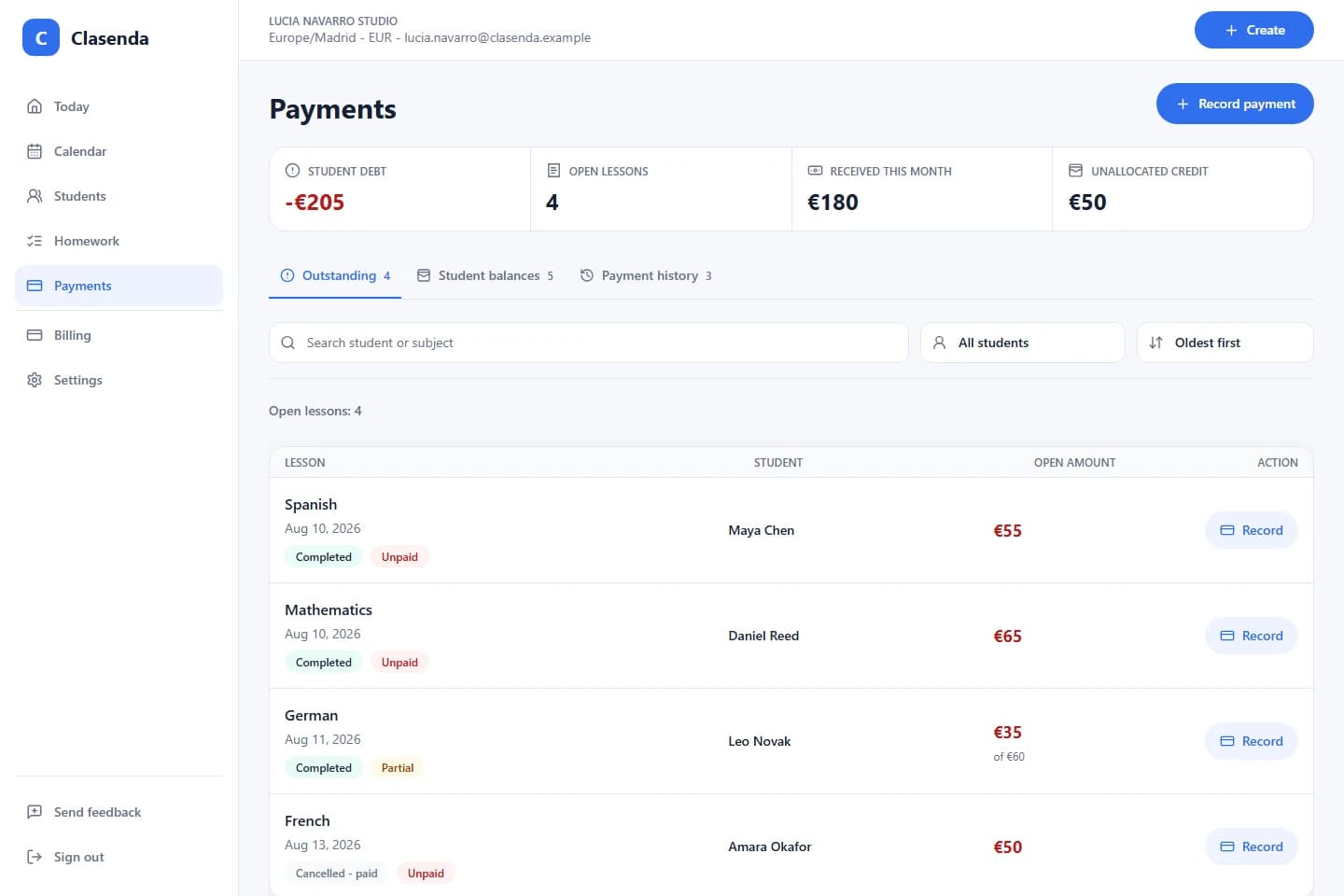
The purpose is a smaller routine: finish the lesson, record its state and know exactly what needs attention at the weekly review.
Keep the workflow together
Track paid and unpaid lessons in Clasenda.
Start with one student and one upcoming lesson. Record the lesson state and payment state together before moving any existing tracker.
Start with one student