Guide for independent private tutors
Private Tutor Payment Tracker: How To Track Paid And Unpaid Lessons
A simple payment tracker should answer three questions without detective work: which lesson happened, how much was due and whether that exact lesson has been paid.
Why payment tracking gets messy for private tutors
Payment admin usually starts small: a note in the calendar, a message thread or a monthly total in a spreadsheet. That can work with a few students. It becomes unreliable when lessons are recurring, students pay in advance, cancellations have different rules or one transfer covers several lessons.
The difficult part is rarely the arithmetic. It is keeping the payment connected to the correct lesson. A monthly total may look right while still leaving you unsure whether Tuesday's lesson was paid, whether a cancelled lesson should be charged or what a parent's transfer covered.
For the repeatable routine around those records, follow the guide on how to track payments as a private tutor.
If the uncertainty starts with weekly schedule changes, see how to manage recurring tutoring lessons while preserving each occurrence and its price.
What a tutor payment tracker should include
Use one row for each lesson. At minimum, record:
- Lesson date and time
- Student
- Subject
- Lesson price and currency
- Payment state
- Amount received
- Payment date
- A short reference, when needed
Keep the reference factual and brief, such as “bank transfer for lessons 12 and 14.” Avoid storing card details or unnecessary personal information.
Use four clear payment states
A status should describe what is true now. Four states cover most solo-tutor workflows without creating a complicated accounting system.
The lesson cost has been covered in full.
The lesson happened and the full amount is still due.
Some of the lesson cost is covered and a remaining balance is visible.
No payment is expected, for example after a free cancellation or trial lesson.
If a payment is reversed or assigned to the wrong lesson, keep a trace of the correction. Silent overwrites make later reconciliation much harder.
When the lesson did not happen, first record the cancellation or no-show outcome. The private tutor cancellation policy guide shows how to keep that outcome separate from payment state.
Why lesson-level tracking is better than monthly totals
Monthly totals tell you how much money moved. Lesson-level records tell you why. That distinction matters when a student reschedules, pauses for a week, pays for five lessons in advance or has different prices across subjects.
With lesson-level tracking, the student's balance becomes the result of clear entries instead of a number you must remember how to explain. You can see completed unpaid lessons, apply new payments to the oldest debt first and preserve the original lesson price when future pricing changes.
Keep that financial history connected to the wider profile without mixing it into learning notes. The guide to organizing tutoring students shows the surrounding structure.
A simple spreadsheet structure
Start with a single sheet and one row per lesson. Resist adding a separate sheet for every student until you genuinely need it; one consistent table is easier to filter and reconcile.
| Date | Student | Price | State | Received | Payment date |
|---|---|---|---|---|---|
| 12 Aug | Maya | $24 | Paid | $24 | 12 Aug |
| 14 Aug | Leo | $30 | Partial | $15 | 14 Aug |
| 15 Aug | Maya | $24 | Unpaid | $0 | — |
| 16 Aug | Nina | $28 | No charge | $0 | — |
Use filters for student and payment state. Add formulas only for totals you regularly use, such as outstanding amount. The source rows should remain readable without the formula.
Building the sheet first? Read the practical guide to a tutor payment tracker spreadsheet, including the minimum columns and mistakes to avoid.
For the teaching record that sits beside these financial entries, use the tutor lesson notes template to capture progress, homework and the next step.
Where spreadsheets break
A spreadsheet is still a good starting point. It becomes fragile when the same lesson must be updated in several places, when recurring lessons are copied manually or when you need a reliable history of changes.
Common warning signs include duplicate rows, balances that do not match the lesson list, uncertainty after a cancellation and payment notes kept separately in messages. At that point, the problem is no longer the table format. It is the lack of one connected lesson and payment workflow.
How Clasenda handles lesson payment state
Clasenda keeps lessons and their payment state in the same private-tutor workspace. When a lesson is completed, its snapshotted price can become due. Incoming payments are recorded against the student's balance, while paid and unpaid work stays visible from the daily workflow.
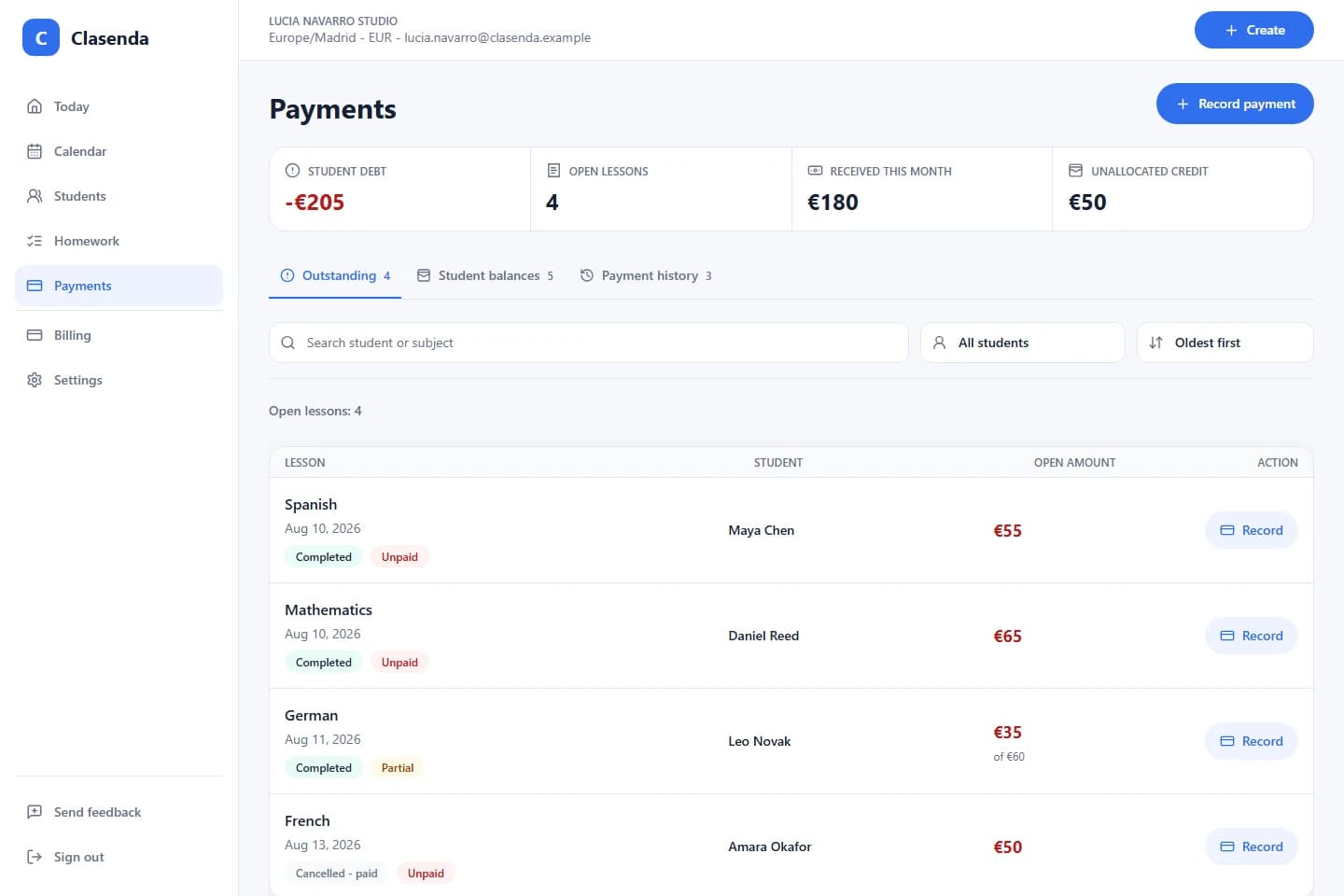
The aim is not to turn a tutor into an accountant. It is to make each balance explainable from the lesson history and reduce the number of places that need to be checked.
Start small
Try the workflow with one student
Add one student, plan the next lesson and keep its payment state beside the lesson history. No broad migration is required to see whether the workflow fits.
Start free trial