A lightweight routine for independent tutors
Weekly Admin Checklist For Private Tutors
Use one short routine to keep the schedule, lesson follow-up, homework and payments from becoming separate end-of-month projects. The complete checklist works with a notebook, document, task app or Clasenda.
Why weekly admin prevents tutor chaos
Tutor admin becomes stressful when every task is postponed until it feels urgent. A missed payment is noticed while preparing another lesson, homework is searched for in chat and schedule changes are remembered only when a reminder appears.
A weekly review creates one predictable place for open work. Small after-lesson actions keep records current, while the weekly checklist catches exceptions and prepares the next teaching week.
The goal is not a perfect system. It is a reliable stopping point: once the checklist is complete, the tutor knows what is ready and what still needs a deliberate follow-up.
Check upcoming lessons
Open the next seven days and scan for conflicts, empty gaps, unusual times and students without a future lesson. Confirm that every one-off change is reflected in the actual occurrence, not only in a message.
Schedule
No overlaps
Changes
2 confirmed
Open gaps
1 to review
For recurring rules, future changes and individual exceptions, use the guide to managing recurring tutoring lessons.
Review unpaid lessons
Filter for completed chargeable lessons that are unpaid or partial. Confirm each state against recorded incoming payments before deciding which students need a reminder.
Review the oldest open lesson first
A lesson-level list makes every balance explainable and prevents a new payment from hiding an older unpaid occurrence.
Read how to track private tutor payments for the routine, the private tutor payment tracker for the underlying method, or the spreadsheet guide for a manual setup.
Follow up on homework
Review assignments due before the next lesson. Separate work waiting for the student from submissions waiting for tutor review, and make the next required action explicit.
Assigned
Student action is next.
Submitted
Tutor review is next.
Needs revision
A specific student change is next.
The homework tracker for tutors includes the fields and template needed to move assignments out of chat history.
Update student notes
Do not rewrite every lesson. Add the topic, progress, homework and next step while the lesson is still fresh, then use the weekly review to fill only genuine gaps.
Topic
What was covered
Progress
What changed
Homework
What was assigned
Next step
Where to continue
Use the tutor lesson notes template for a reusable structure, and keep those dated records inside the wider approach to organizing recurring tutoring students.
Reschedule or archive stale lessons
Past scheduled lessons should not remain unresolved. Mark what actually happened, connect a replacement when a lesson moved and archive future lessons that will no longer take place.
Reschedule one occurrence
Keep the original time in history and link the replacement lesson.
Archive stale future work
Remove inactive items from daily views without deleting completed history.
When a student pauses completely, archive the student profile instead of deleting lesson, homework and payment records that may be needed if they return.
Use the private tutor cancellation and no-show policy guide to close changed lessons with consistent outcomes and payment expectations.
Prepare for the next teaching week
Read the latest note before choosing materials. Check open homework, confirm the next lesson's focus and prepare only what supports the next useful step for that student.
- 1
Review
Latest note and open homework.
- 2
Choose
One clear priority per student.
- 3
Prepare
Only the material needed next.
Finish by checking that the first lesson of the week can begin without searching across the calendar, messages and separate documents.
The complete private tutor weekly admin checklist
Use these checkbox items directly, print the page or move them into the tool you already use. Completing the list does not require a Clasenda account.
Upcoming schedule
Lesson follow-up
Payments
Student records
How Clasenda makes the routine easier
Clasenda brings today's lessons, open follow-up and payment attention into one tutor workspace. The Today view gives the routine a starting point, while student history preserves the details behind each action.
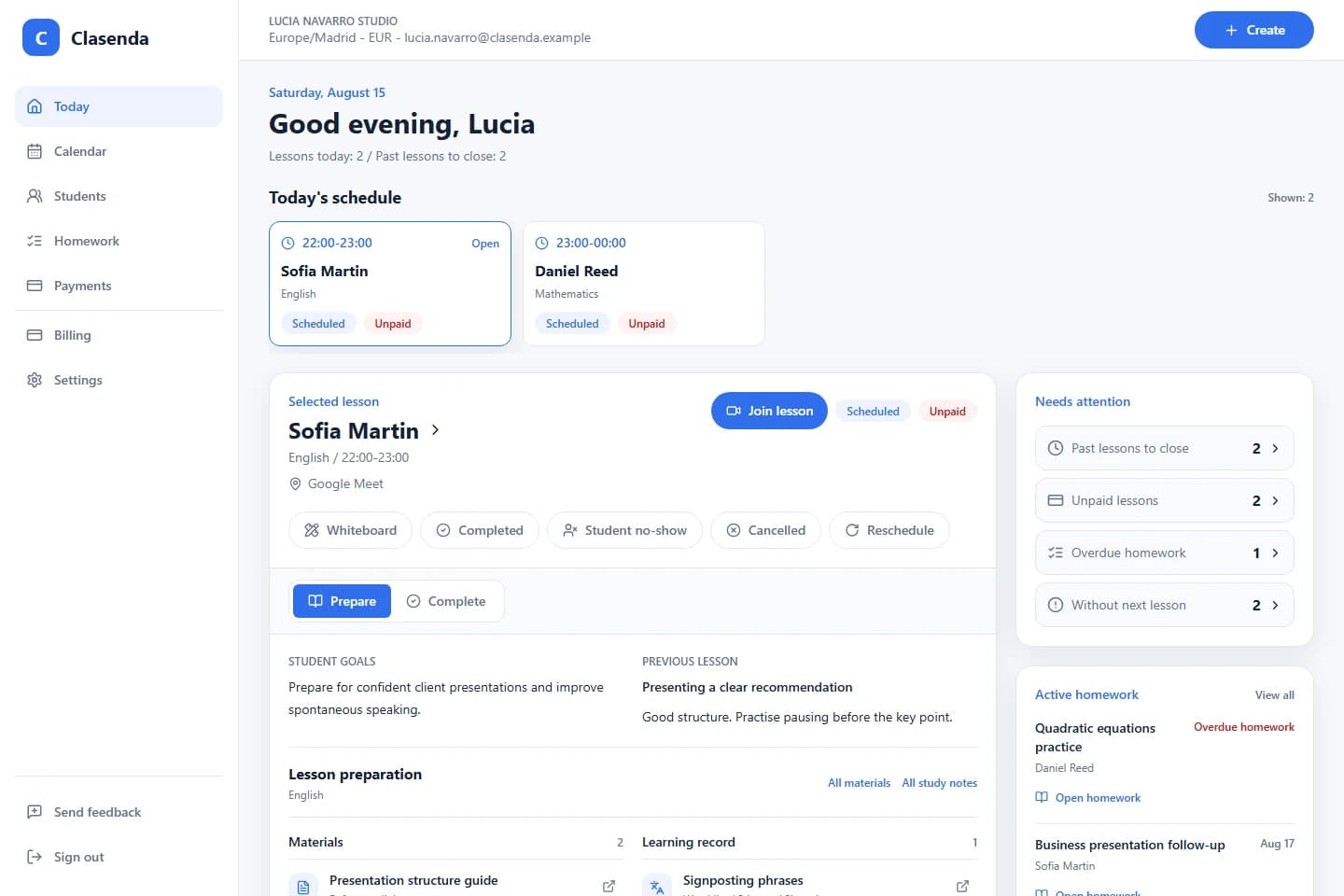
The checklist remains the same: check the schedule, close lessons, follow up on homework, review payments and prepare what comes next. Clasenda reduces the number of places that need to be opened to complete it.
One place to begin the routine
Run your tutoring week from Today in Clasenda.
Start with one recurring student and the next lesson. Use the same checklist before deciding whether to move the rest of your admin.
Start with one student