Recurring schedules for independent tutors
How To Manage Recurring Tutoring Lessons
A weekly schedule should be quick to plan without making individual changes destructive. Keep the recurring pattern separate from each lesson occurrence so reschedules, cancellations and history remain clear.
Why recurring lessons need more than calendar events
Repeating a calendar event can show that a student usually attends every Wednesday. It does not explain what happened when one occurrence moved to Friday, when a holiday was cancelled without charge or when the schedule changed from September.
A tutoring record needs both the expected pattern and the history of individual lessons. Otherwise editing the series can rewrite old dates, remove exceptions or make attendance and payment records difficult to explain.
The recurring schedule should generate concrete lesson occurrences. Each occurrence can then keep its own time, outcome, price, notes, homework and payment state.
Separate recurring rules from individual lesson changes
The recurring rule describes the normal future pattern. For example: every Monday and Wednesday at 17:00, starting 7 September, for 60 minutes. It should not become the only record of the actual lessons.
Recurring rule
Mon + Wed · 17:00
60 minutes · starts 7 Sep
7 Sep
Scheduled
9 Sep
Rescheduled
14 Sep
Scheduled
Changing one occurrence should affect only that lesson. Changing the recurring rule should apply from a chosen future date and leave previous occurrences untouched.
Preserve reschedule history
When a lesson moves, keep the original occurrence and create or connect the replacement. The original record should show that it was rescheduled, when it was originally expected and which lesson replaced it.
Original occurrence
Wednesday · 17:00
Marked as rescheduled
Replacement lesson
Friday · 16:30
Linked to the original date
Do not simply drag the old event and lose the original time. Preserved history helps explain attendance, lesson counts and payment state later.
Track cancellations and no-shows clearly
Close every past occurrence with a factual outcome. Keep attendance outcome separate from payment state so a cancellation can be free or chargeable without creating ambiguous labels.
Write the policy before a difficult case occurs and apply it consistently. The planned tutor cancellation and no-show policy guide covers the wording and decision points in more detail.
Keep price snapshots for old lessons
Store the agreed price on each generated lesson occurrence. If the student's regular rate changes later, future lessons can use the new amount while completed and cancelled lessons retain the amount that applied at the time.
Before 1 October
$24
Historical lessons stay unchanged
From 1 October
$28
New rule for future lessons
This keeps balances explainable after a rate change. The private tutor payment tracker explains why lesson-level price and payment records are more reliable than monthly totals.
Connect recurring lessons to notes, homework and payment state
The schedule answers when the lesson happens. The concrete lesson record should also lead to preparation and follow-up: the previous note, assigned homework and any payment attention.
Lesson note
Progress and the next teaching step.
Homework
The task, due date and review state.
Payment state
Paid, unpaid, partial or no charge.
The broader guide to organizing recurring tutoring students shows how schedule, goals and history fit around this lesson timeline. For payment follow-up, use the practical guide on tracking private tutor payments.
A simple weekly scheduling checklist
Review the schedule once before the teaching week begins. A short, repeatable check prevents most exceptions from becoming last-minute surprises.
Weekly schedule review
Five checks before lessons begin
- Review the next two weeks for holidays, pauses and one-off changes.
- Confirm that every reschedule has a replacement date and preserved original occurrence.
- Close completed, cancelled and missed lessons with a clear outcome.
- Check that future rule changes begin on the intended date.
- Review open notes, homework and unpaid lessons before the next teaching week.
For the schedule plus payments, homework, notes and student follow-up, use the complete weekly admin checklist for private tutors.
How Clasenda handles recurring lessons
Clasenda keeps recurring schedule rules separate from generated lessons. Tutors can plan different weekly days and times, change the schedule from a future date and update one occurrence without rewriting the rest of the series.
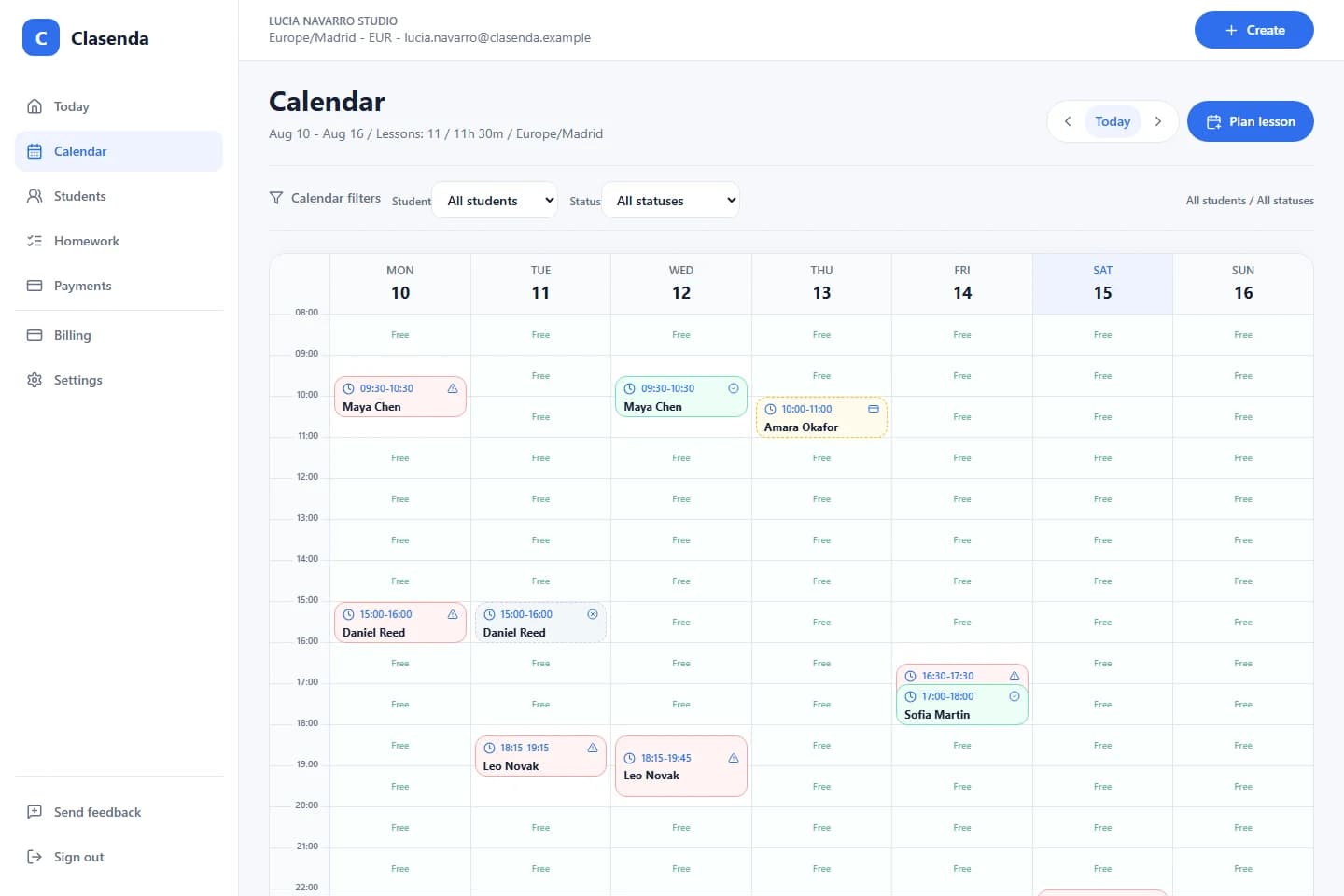
Each lesson keeps its own outcome, price, notes, homework and payment state. The schedule remains quick to maintain while the history remains trustworthy.
Plan the pattern, preserve each lesson
Plan recurring lessons and keep lesson history connected in Clasenda.
Start with one recurring student and the next few weeks. Keep individual changes visible without rebuilding the schedule.
Plan one recurring schedule